
AI-Powered
AI Resume Optimizer: Fix ATS Issues in One Click
Optimize your resume for ATS with our AI resume optimizer. Find ATS issues, weak bullets, and generic content in one click. Free preview: see your top 3 fixes instantly.
Not signed up yet? Try our free public ATS checker first.
How the AI Resume Optimizer Works
Three simple steps to optimize your resume for ATS with our AI resume checker
Create or Upload
Create a new resume or upload your existing PDF. Our AI extracts and structures your content automatically.
One-Click Optimize
Click "Optimize Resume" in the editor. AI analyzes ATS keywords, content quality, and bullet strength in one run.
Fix Issues
Follow the prioritised list to fix each issue. Apply suggestions with one click or use "Surprise Me" for alternative rewrites.
What the AI Resume Optimizer Checks
One tool covers ATS resume optimization, content quality, and bullet strength
ATS Compliance

Checks keyword density, section headers, and formatting for applicant tracking systems. See exactly what ATS systems look for and how to pass.
Content Quality

Flags generic phrases, weak language, and passive voice. Get AI suggestions to replace vague descriptions with impact-driven alternatives.
Bullet Strength
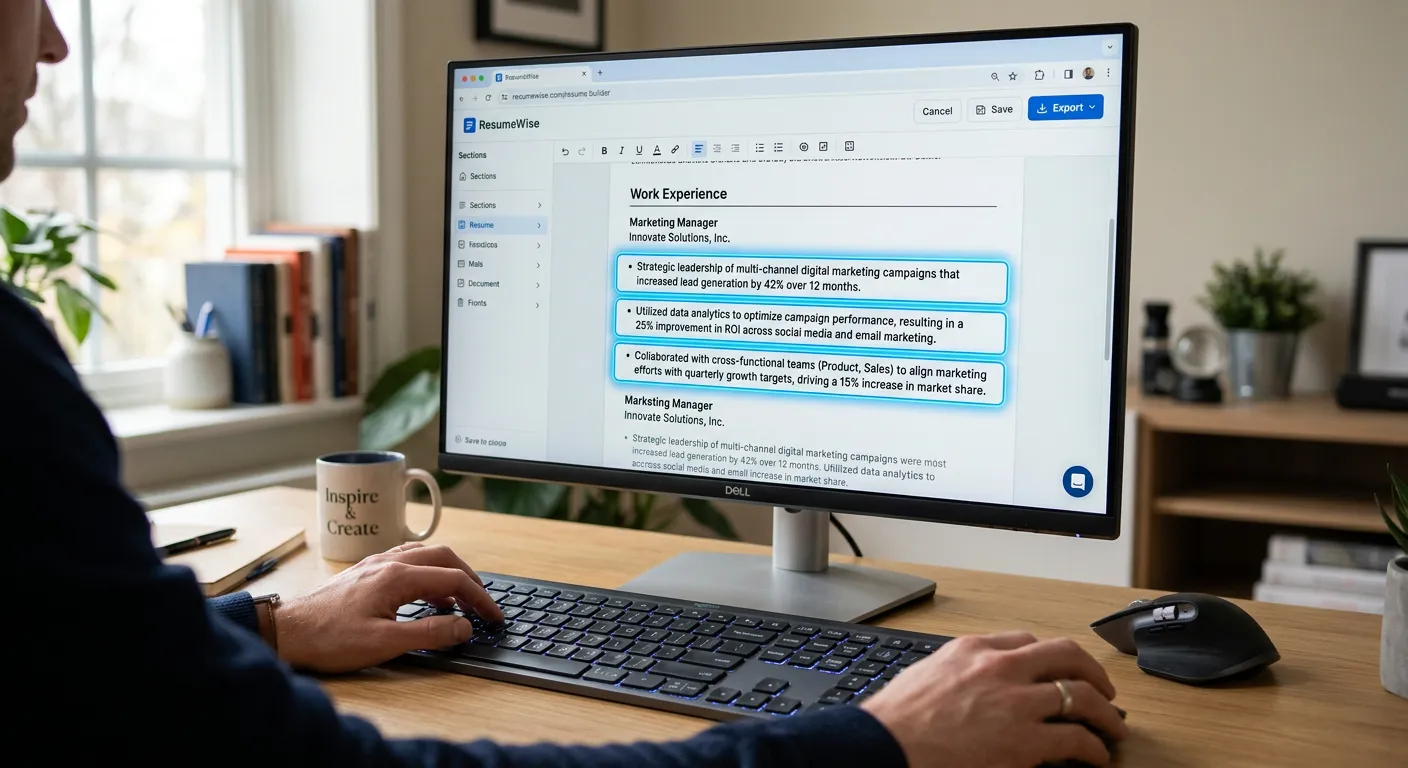
Analyzes bullet points for action verbs, metrics, and impact. Apply one-click rewrites or use "Surprise Me" for alternative phrasings.
What the report contains
Each run reads your whole resume, plus a job description if you paste one in to aim the check at a particular role. It returns:
- An optimisation score out of 100 for the resume as it stands, and a projected score if you apply every suggestion.
- Three category scores: ATS readiness, generic language and bullet strength.
- A short summary of what is holding the resume back.
- Line-by-line suggestions, most serious first. Each shows your current text, the suggested text, a one-line reason and how serious the issue is.
- Structural issues that are not tied to one line, such as a missing skills section or no summary.
Suggestions open in the editor beside the line they belong to, where you accept, edit or reject each one. The report is saved, so you can come back to it, and you can download it as a PDF. On the free plan you get one run per resume and the first three suggestions; the rest stay locked.
How applicant tracking systems read a resume
An applicant tracking system (ATS) is the software employers use to collect applications, store them and let recruiters search and sort them. It usually pulls the text out of your file and splits it into fields such as name, job titles, dates and skills. Recruiters then filter or search, often using the words in their own job advert.
Three practical rules follow. Use real text in a single column, so lines are read in the right order. Use ordinary headings such as Experience, Education and Skills, so the system knows where each section starts. And use the advert's own words for skills and tools you really have, because a recruiter searching for "stakeholder management" will not find "working with partners". The optimiser's ATS category looks for missing keywords and for phrasing that reads badly to this kind of software.
What a good score means, and what it does not
The score is our AI's judgement of your resume against its three categories. It is most useful for comparing your own drafts: if it goes up after you accept suggestions, the check found fewer problems. It is not a number any employer sees, and it is not a pass mark. Employers set up their systems differently, recruiters search for different words, and different checkers give different figures for the same file. The projected score is an estimate, not a promise.
So use the score to find fixes, then read the resume the way a recruiter would: does the top half of page one show why you fit this job? A modest score on a resume that is honest about your experience beats a high one built on claims you could not back up in an interview.
An example run
This is an illustration with a made-up resume, not real data. Ellie, a warehouse supervisor, runs the optimiser without a job description. Her first suggestion is marked high severity under generic language: the bullet "Responsible for weekly stock counts and for chasing supplier discrepancies" describes a duty, not what she did. The suggested text reads "Ran weekly stock counts and followed up supplier discrepancies with the buying team."
Ellie never worked with a buying team, so she edits that part out before accepting. The report also lists a structural issue: there is no skills section, so her forklift licence and the warehouse management system she uses are buried in a bullet. She adds a short skills section by hand.
The lesson is the same for every run. Accept what is accurate, edit anything that overstates what you did, and add real figures yourself, such as how many lines you counted or how many discrepancies you cleared. Then run the free ATS check, or the optimiser again on Pro, to see the effect.
Free vs Pro: What You Get
Free Preview
See your top 3 improvement areas, no credit card required
- 1 optimizer run per resume
- Top 3 issues shown
- Apply 3 suggestions for free
- Optimization score before/after
- PDF export with no watermarks
Pro
Full Analysis
Unlimited runs and unlimited suggestions, so you can fix every issue
- Unlimited optimizer runs
- Full prioritised issue list
- Apply all suggestions
- "Surprise Me" for alternative rewrites
- Re-optimize after every edit
Why Job Seekers Use Our AI Resume Optimizer
3 scores
ATS readiness, generic language and bullet strength from a single run
1 Click
One-click analysis for ATS, content quality, and bullet strength
Free
Try it free and see your top 3 improvement areas with no credit card
Ready to Optimize Your Resume for ATS?
Create a free account and run the AI Resume Optimizer on your first resume. No credit card required.