
Healthcare Professional CV template
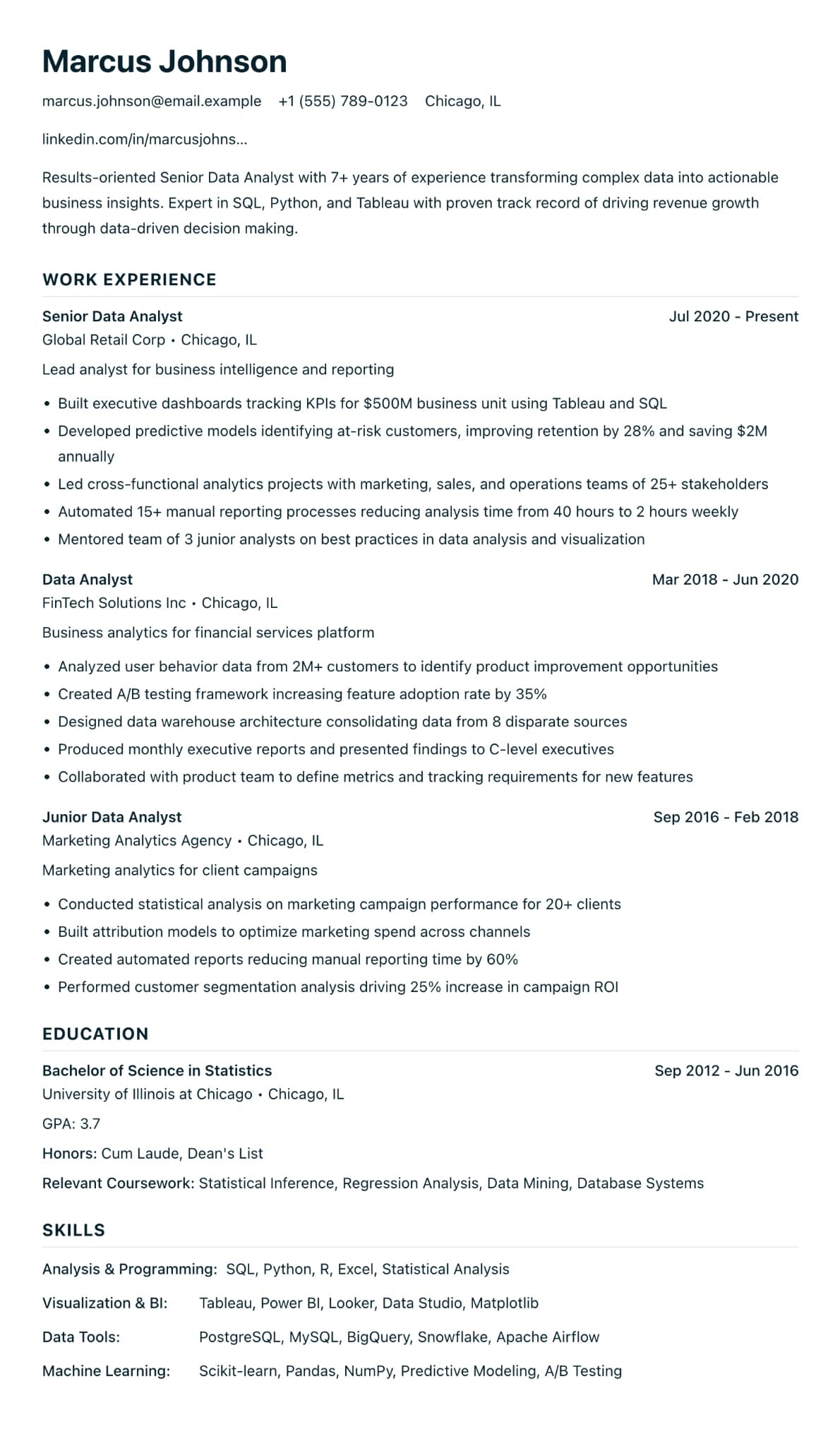
A plain one-column design in clinical blue for registrations, training and clinical posts.
Best for:
- Nurses
- Healthcare Workers
- Medical Staff
- Clinical Professionals
A Pro design, also included in the 7-day trial and the 30-day Pass. The free plan includes Modern Professional, International Student, Education & Teaching. See plans
No watermark on the PDF, on any plan
Who this design is for and why
Healthcare Professional is for nurses, doctors, care staff and allied health professionals. It uses the same plain one-column structure as Minimalist ATS, with no icons, no sidebar and no photo, and sets the section headings in capitals in a clinical blue.
Healthcare CVs carry details that must be read exactly: your NMC, GMC or HCPC registration number, mandatory training such as basic life support, and the wards, specialties or settings you have worked in. A plain layout keeps those details in reading order, whether your CV goes to an NHS trust, a private provider, a care home or a staffing agency. A sensible order is registration and qualifications near the top, then clinical posts with the setting and patient group for each, then skills. The design has no skill bars or star ratings, so your competencies are written out in words, which is easier for a shortlisting panel to check against the person specification. Minimalist ATS and Finance & Accounting use the same structure in navy, if blue is not right for you.
How the layout works
Clinical CVs carry details a shortlisting panel checks one by one: a registration number, a band, competencies and the dates of mandatory training. Plain text with no icons and no sidebar keeps each of those on its own line, where it is easy to find and easy to verify.
Who it suits, and who should pick another design
- Registered nurses and midwives: registration and revalidation details belong near the top, whether newly qualified or senior.
- Healthcare assistants and care workers: training such as the Care Certificate and moving and handling counts as much as job titles.
- Allied health professionals: physiotherapists and radiographers applying to private providers and agencies are often asked for a CV.
NHS posts usually go through NHS Jobs and its own application form, so there your CV is mainly the source you copy from. Doctors applying for specialty training also use a national form. If you are leaving healthcare for another sector, Career Changer will serve you better.
How application systems read it
This design shares its single-column structure with Minimalist ATS, so the applicant tracking systems used by private hospital groups and staffing agencies read it top to bottom. Write each registration body in full once, such as "Nursing and Midwifery Council (NMC) PIN", so both the abbreviation and the full name are there to match. The Word download on Pro, the trial or the Pass helps when an agency asks for an editable copy.
What to put in each section
- Profile: your registration, specialty and the setting you want, in two sentences.
- Registration: a custom section near the top with your PIN or registration number and revalidation date.
- Clinical experience: each post with the ward or setting, the band and the patient group.
- Training: mandatory and extra courses with the month and year.
A worked example
Maya Patel is a band 5 staff nurse with three years on an acute medical ward, applying through an agency for a band 6 post. Her CV opens with a two-sentence profile, then a "Registration" section holding her NMC PIN and revalidation date. Each of her two posts names the ward type and has four bullets, such as leading a shift and mentoring students. Training follows, with dates for immediate life support and IV therapy.
Common mistakes with this layout
- Copying duties from the job description. Every nurse on the ward did the observations; say what you took on.
- Leaving dates off mandatory training. Panels check whether it is current.
- Including anything that could identify a patient in an example.
Switching to another design
Minimalist ATS and Finance & Accounting share this structure, so switching between them only changes the colour. A switch to a design with icons is just as safe: your registration section and training dates come with you as they are.
Every design downloads as a PDF that matches the editor page for page, with no watermark on any plan. This one needs Pro, the 7-day trial or the 30-day Pass, which also add Word and plain text downloads. See pricing
See this design in use
- Care assistant CV example, a full example CV built on this design
- Medical CV example for doctors, a full example CV built on this design
- Healthcare assistant CV example (band 3 senior HCA), a full example CV built on this design
- Nurse CV example (NHS band 5), a full example CV built on this design
- Support worker CV example (supported living), a full example CV built on this design
- NHS CV template and an allied health example, where this design is one of our three picks
Start your CV in Healthcare Professional
Sign up free. No credit card required. You can switch design at any time in the editor.