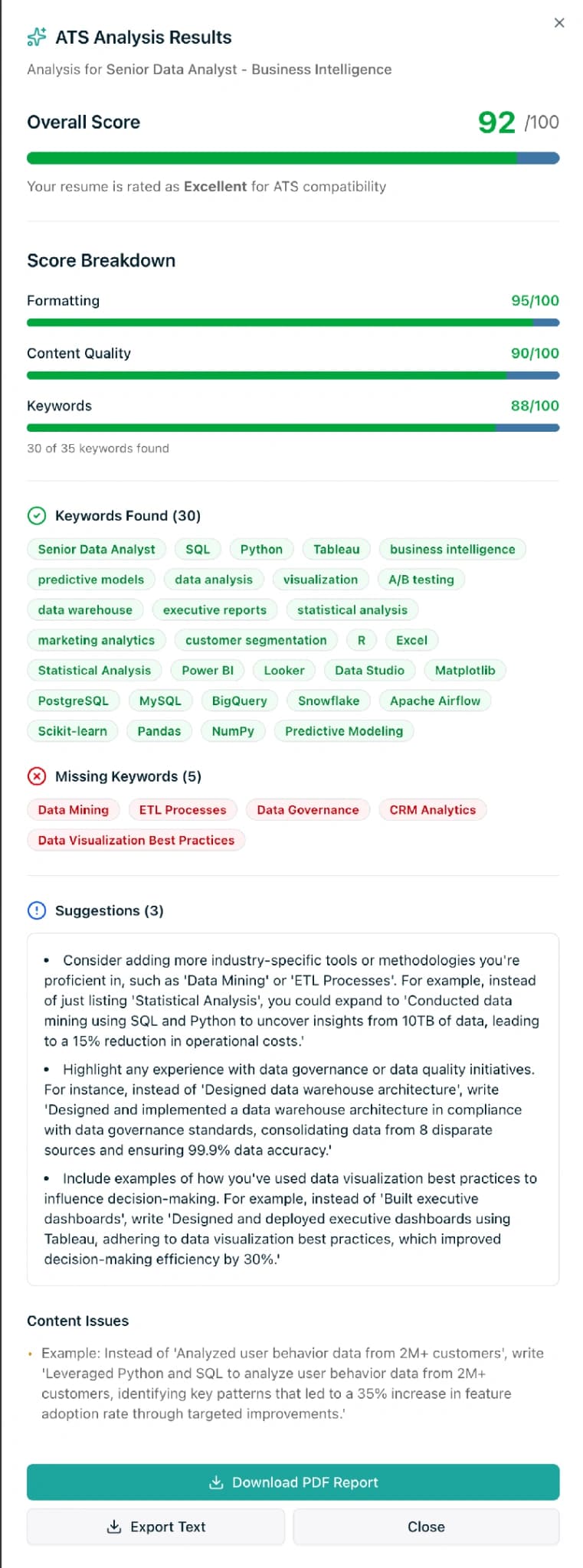
TL;DR. An ats cv builder is a resume tool that produces a CV an applicant tracking system can parse cleanly: single-column layout, standard headings, real text, no image-based graphics. As of April 2026, 97.8% of Fortune 500 companies use an ATS, led by Workday at 39% share (Jobscan 2025 ATS Usage Report). Modern ATS platforms do not auto-reject. They rank. But when 180 people apply for one role, ranking #150 is the same as rejection. The fix is structural: an ATS-friendly template, a keyword check against the job description, and a clean PDF text layer. SimpleCVBuilder's free tier ships both the AI ATS analyzer and a Minimalist ATS template, with no watermark and no card required.
Last updated: April 2026.
What is an ATS CV builder, exactly?
An ATS CV builder is a resume tool designed so the output parses reliably inside the software recruiters use to screen applications: Workday, Greenhouse, Lever, iCIMS, Taleo, SAP SuccessFactors, BambooHR, and dozens of smaller platforms. Any tool can produce a pretty CV. Very few produce one that an ATS can read without losing data.
The difference matters because the ATS sits between you and the recruiter. Your file is uploaded, text is extracted, structured fields are filled (name, current title, dates, skills), the system compares your content against the job description, and you get a rank. The recruiter then opens a queue sorted by that rank. If the parser mangled your CV — because a two-column table collapsed into a jumbled run of text, or because your name sat inside a graphic — your keyword score drops, you rank low, and you never reach a human. The CV looked fine on your screen and died silently in the upload.
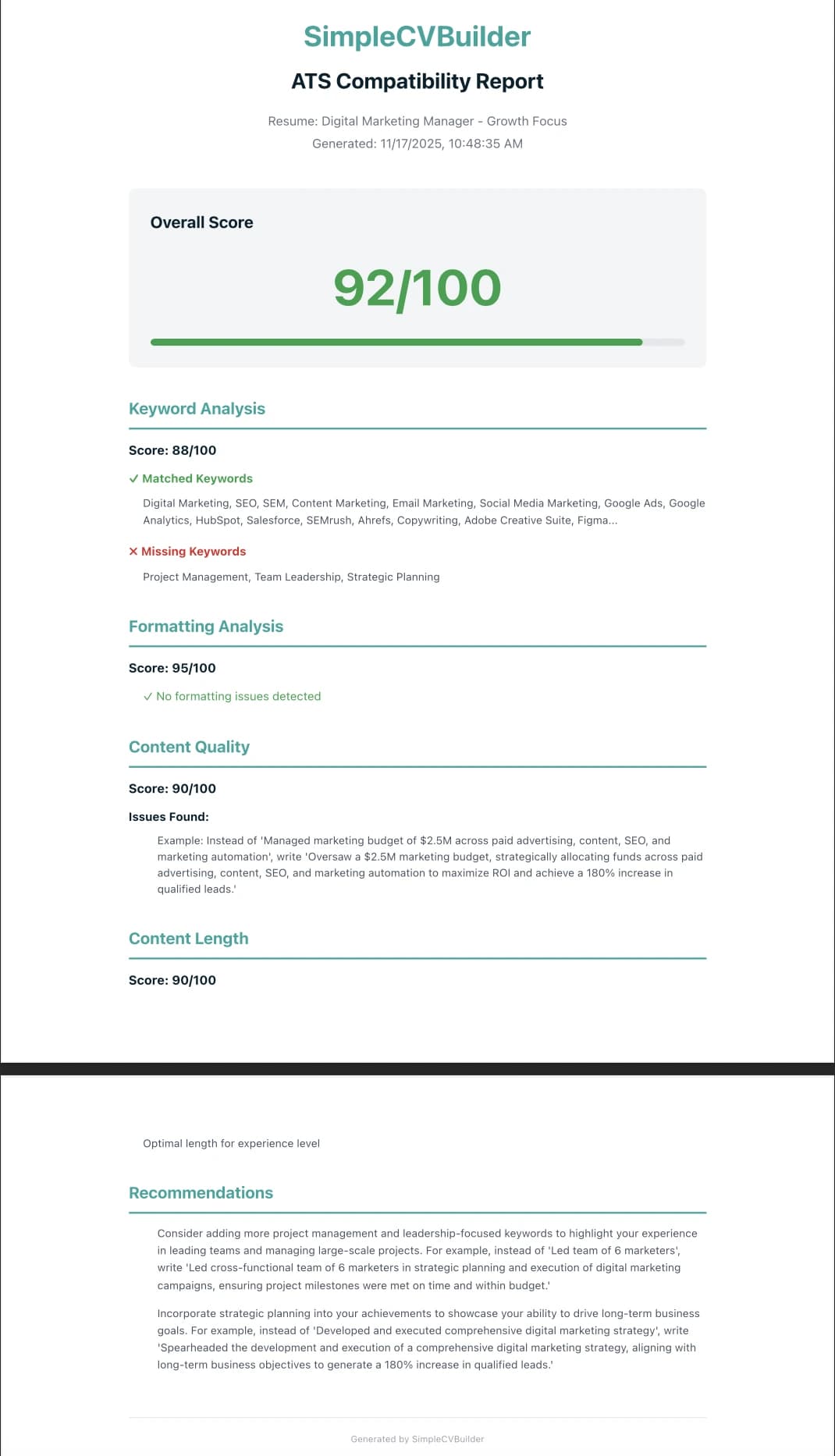
A proper ATS CV builder enforces parseable structure by default: single-column layout, standard section headings the parser already understands ("Experience" not "Where I've Worked"), a real PDF text layer, and web-safe fonts. A good one also shows you what the ATS will see — a plain-text extraction of your CV with the keyword matches highlighted — before you send it.
How an ATS actually reads your CV: the five steps
ATS parsing is less mysterious than the category makes it sound. Across Workday, Greenhouse, Lever, iCIMS, and Taleo, the process is broadly the same.
- Upload and text extraction. The ATS opens your PDF or DOCX and pulls the raw text layer. Image-based PDFs — common from Canva and some template marketplaces — fail this step silently, and the rest of the pipeline runs on empty strings.
- Field mapping. The parser assigns fragments to structured fields: name, email, phone, current title, company, dates, education, skills. Standard headings help enormously; creative ones ("My Journey" instead of "Experience") cause field drift.
- Keyword scoring. Your content is compared against the job description. Exact matches count most, but 2026 systems increasingly recognize synonyms (Workday and Greenhouse both layer LLM screening on top of classic keyword matching).
- Ranking. You get a numeric score and sit somewhere in a ranked queue. Rules like "exclude candidates without a Bachelor's degree" are applied here, and this is where Harvard Business School's "Hidden Workers" study estimated 27 million qualified US workers get filtered out because a rigid rule excluded them.
- Recruiter queue. The top applicants surface first. The Ladders' eye-tracking study found recruiters spend an average of 7.4 seconds on the initial scan, so even after you rank well, layout and the top third of page one still matter.
Major ATS platforms and their parsing quirks
Not all ATS platforms behave the same. These are the six most common in Fortune 500 and mid-market pipelines as of April 2026, with the parsing quirks each has been documented to have.
| ATS Platform | Market share (F500) | Parses well | Common parsing pitfalls |
|---|---|---|---|
| Workday | ~39% | Single-column PDF, standard DOCX, text-layer PDFs | Two-column tables, headers/footers, text inside text boxes |
| SAP SuccessFactors | ~13.2% | Standard PDF, DOCX | Complex tables, custom bullet icons |
| Taleo (Oracle) | ~10% | DOCX, plain-text PDF | Older configs reject image-heavy PDFs outright |
| iCIMS | ~7% | Single-column PDF, DOCX | Two-column layouts, special characters in dates |
| Greenhouse | ~5% | Modern PDFs, including some two-column where text layer is clean | Heavy graphics, skill bars rendered as images |
| Lever | ~3% | Standard PDF, DOCX | Tables used for layout, non-standard section headings |
Source: Jobscan 2025 ATS Usage Report. Market share percentages are Fortune 500 audit figures; long-tail platforms make up the remainder.
Practical takeaway: if you are applying to large US employers, you are almost certainly going through Workday or SAP, so optimize for those. Tech scale-ups are likelier to use Greenhouse or Lever, which are slightly more forgiving of modern layouts, but not by much.
Formatting do's and don'ts
The concrete rules. These are what a good ATS CV builder bakes in by default.
Do:
- Use a single-column layout. Every ATS parses top-to-bottom, left-to-right. A single column is unambiguous.
- Use standard section headings. "Experience," "Education," "Skills," "Certifications." The parser already knows these.
- Stick to web-safe fonts. Arial, Calibri, Helvetica, Georgia, Cambria, Times New Roman, Garamond. Body text at 10-12pt.
- Export a PDF with a real text layer. Select text in the file — if it highlights cleanly, the ATS can read it.
- Mirror the job description's exact phrasing for hard skills and tools. "React" not "ReactJS" if the JD says "React." Exact matches still beat semantic ones.
- Use left-aligned bullets with
-or•. No graphic icons, no custom shapes. - Spell out dates. "March 2022 - June 2025" not "03/22 - 06/25."
- Name the file like a human.
Alex-Thompson-Product-Manager.pdfbeatsresume-final-v4.pdf.
Don't:
- Don't use two columns. A sidebar looks professional and parses as a jumbled run.
- Don't put important text in headers or footers. Many ATS skip them entirely.
- Don't use tables for layout. Even invisible tables confuse parsers.
- Don't embed text inside images. Your name in a "logo" graphic vanishes on upload.
- Don't use skill bars, progress rings, or star ratings. They render as nothing.
- Don't use PDF compression that rasterizes text. Export from a source that preserves the text layer.
- Don't rename standard sections creatively. "My Story" is lovely; it is also unreadable to a field mapper.
- Don't keyword-stuff. 2026 systems detect density and penalize it.
What changed in 2026: LLM screening on top of ATS
The biggest category shift this year is that traditional ATS keyword parsing is now layered with LLM semantic scoring.
SHRM's 2025 Talent Trends survey of 2,040 HR professionals found 51% of organizations now use AI specifically for recruiting (up from 26% a year earlier), and 89% of those organizations report time savings. Gartner's October 2025 analysis reports that 61% of HR leaders are in advanced stages of generative AI deployment (up from 19% in 2023), and 82% plan to deploy agentic AI within 12 months.
In practical terms: the LLM layer recognizes that "led a distributed team of 12 engineers" and "remote engineering team leadership" describe the same thing. That is a real advance for career changers and international candidates whose vocabulary does not always match the job ad word-for-word.
But the base layer has not gone away. Exact matches for specific tools ("Terraform," "Salesforce," "HubSpot"), certifications ("PMP," "AWS Solutions Architect"), and job-title keywords still win. LinkedIn's March 2025 Skills-Based Hiring report found hiring for skills is 5x more predictive of job performance than hiring for educational credentials — and those skills still enter the ATS as specific keywords the parser scores against. Jobscan's pipeline data shows resumes matching 80%+ of JD keywords pass ATS screening at roughly 2.5x the rate of resumes matching under 50%.
Write naturally. Mirror the exact phrasing of the job description for hard skills, tools, and certifications. Let the LLM layer handle the rest.
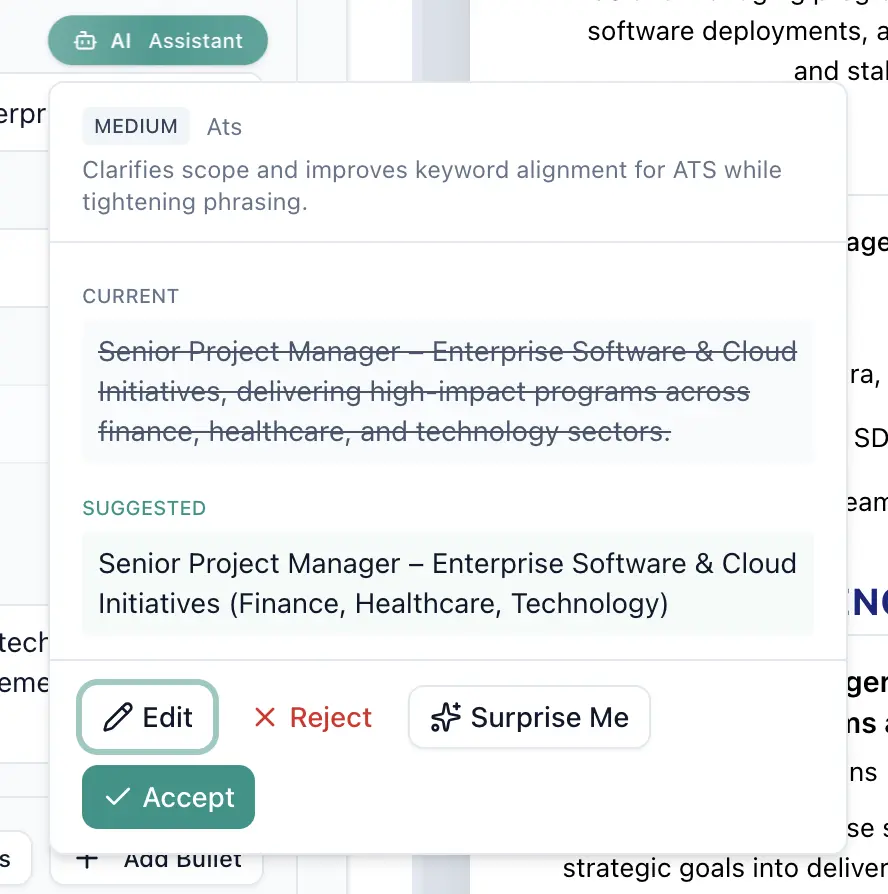
Before and after: rewriting a bullet for ATS and recruiter both
The job is a senior product manager role. The JD lists "cross-functional leadership," "roadmap prioritization," "A/B testing," and "product-led growth."
Before (ATS-invisible, recruiter-bored):
- Responsible for the product roadmap and various team activities.
Zero measurable results. No keywords. An ATS scores this at roughly 20% keyword match.
After (ATS-friendly and recruiter-worthy):
- Led roadmap prioritization across engineering, design, and marketing for a 14-person product org, shipping 9 releases in 12 months and lifting activation 23% through A/B-tested onboarding experiments.
Keywords hit: roadmap prioritization, cross-functional (implied by three named teams), A/B testing. Numbers: 14 people, 9 releases, 12 months, 23%. The ATS scores it highly; the recruiter reads the number and keeps going. That is the bar every bullet should clear.
Score your CV against the actual job description
Paste your CV and a job ad. Get a score, a keyword gap list, and a formatting check in under a minute. Free tier includes the ATS analyzer and a Minimalist ATS template — no watermark, no credit card.
Choosing an ATS CV builder: an honest framework
The category is noisy, so here is a framework rather than a ranking.
A CV builder is worth using for ATS-heavy pipelines if it meets all five of these criteria. Run any tool (ours included) through them before you commit.
First, does it default to a single-column, ATS-parseable template? Not "has one in a menu" but actually defaults to it. Most mainstream builders lead with visually rich two-column designs because they photograph well for marketing. Second, does it export a PDF with a real text layer rather than a rasterized image? Open the file, select all, paste into a plain text editor. If the output is readable, you are fine; if it is garbled, the ATS will struggle too.
Third, does it score your CV against a job description before you send it? This is the single most valuable feature. The score does not have to match any specific ATS perfectly (checkers disagree because each ATS weighs differently), but it will catch missing keywords and structural issues. Fourth, does it let you export without a watermark on the free tier? A "Made with X" footer is an immediate recruiter-confidence hit and a parser nuisance.
Fifth, does it cost what it says it costs? Watch for $2.95 14-day trials that renew near $24.95 per month. Robert Half's 2026 labor market research indicates most US job searches now span multiple months; monthly renewal fees add up fast.
For a transparent breakdown of what "free" actually means in this category, see our Free CV Builder honest guide and its US-framed companion, Free Resume Builder comparison. For the scoring side specifically, ATS Resume Checker: what score do you need walks through what a good number actually predicts.
How SimpleCVBuilder fits the framework
We built the tool around this problem, so here is the direct answer.
The Minimalist ATS template and the LaTeX ATS template are both single-column by default. Both export as PDFs with a real text layer. The free tier includes the AI ATS analyzer: paste a job description, get a score, see the keyword gaps and formatting warnings in plain language. There is no watermark on any export, free or paid, and no credit card on the free tier.
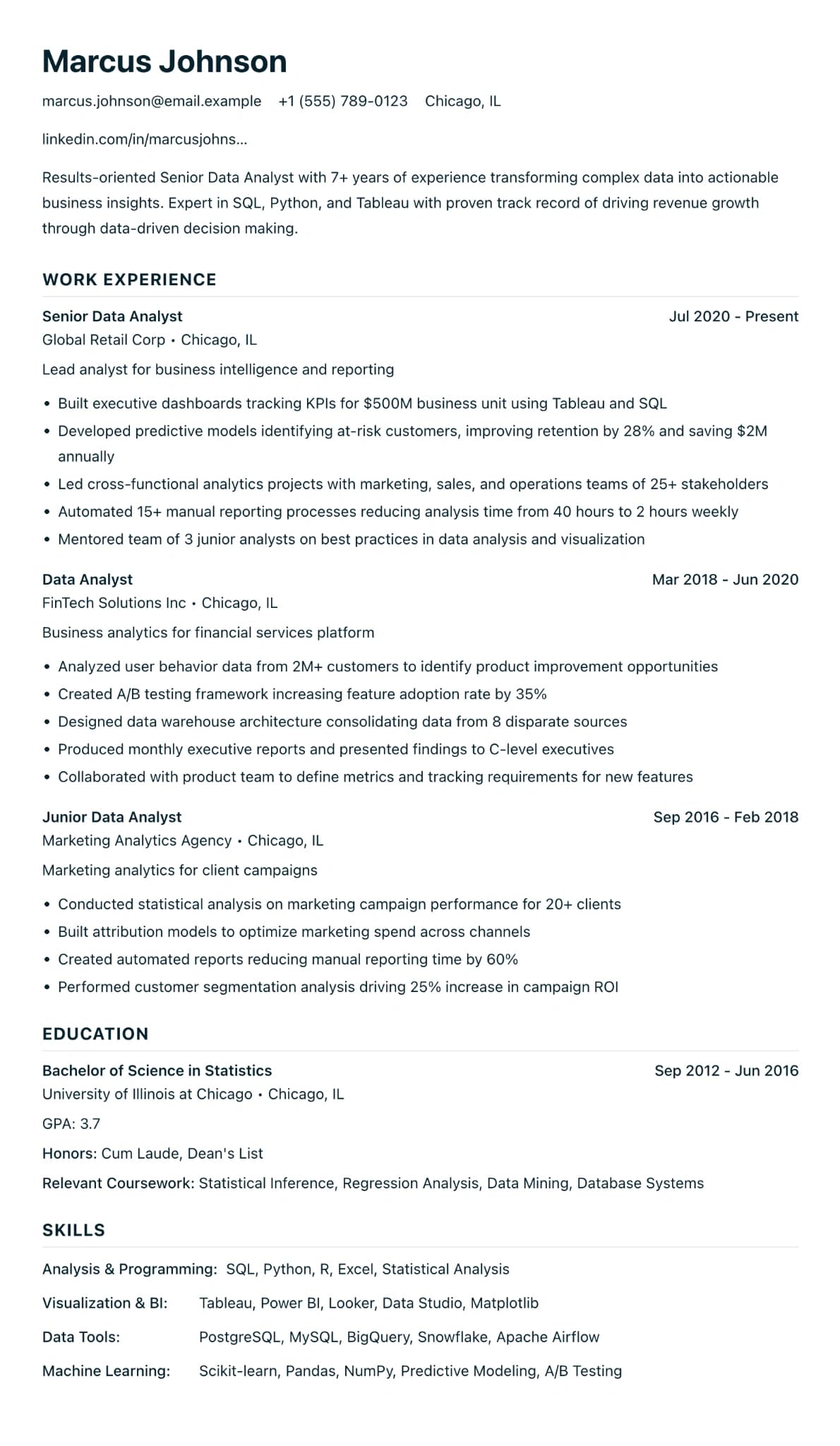
Pro is $12.99 per month and unlocks unlimited CVs, unlimited AI bullets (the free plan includes two per CV), unlimited Career Advisor reports for career changers, and TXT exports for online forms that strip PDF formatting. For current competitor prices, each checked against the vendor's own pricing page, see our free vs paid resume builder price table.
Where we are honest: if you need dozens of hyper-specific ATS format presets, Jobscan remains the category authority for ATS scoring alone. They are a checker, not a builder, and their research is cited throughout this guide. If you want visual-forward templates for creative roles that never touch Workday, Canva's free tier is fine as long as you stay on free templates and run the export through the copy-paste test first.
A quick self-audit before you hit submit
Three minutes on this beats three weeks of silence.
- Open your exported PDF. Select all text, copy, paste into Notepad or TextEdit.
- Read it. Are your name, title, dates, and company names all there and in order? Garbled characters or interleaved sections mean the ATS will see the same.
- Paste the job description into our AI ATS analyzer. Aim above 70%, ideally 80%+.
- Rename the file
FirstName-LastName-Role.pdf. Submit.