
TL;DR. Resume keywords matter, but keyword stuffing, hidden white text, and chasing a 100% match ratio do not. A modern applicant tracking system runs two layers: a parser that extracts structured fields from your CV (contact, sections, dates, titles, skills, education) and a matcher that compares those fields against the job description and the recruiter's filters. The reliable workflow is four steps: extract keywords from the JD, prioritize by must-have vs nice-to-have, weave them into bullets with real context and numbers, and verify with an ATS check. This guide explains how parsing actually works, debunks the five myths that keep good candidates out, and walks through a tested keyword workflow.
April 2026.
Keyword advice in the resume category is mostly recycled from 2018. The parser has moved on. As of 2026, 97.8% of Fortune 500 companies use an applicant tracking system, per Jobscan's 2025 ATS Usage Report, with Workday holding roughly 39% market share. On the AI side, 51% of organizations now use AI specifically for recruiting — up from 26% a year earlier, per SHRM's 2025 Talent Trends. Traditional keyword parsing still runs first at most vendors; an LLM layer increasingly sits on top. That combination changes what keyword work is worth your time.
How ATS parsing actually works
An ATS does not "read" your resume the way a recruiter does. It performs two distinct jobs.
Layer 1: the parser. The parser ingests your PDF or DOCX, pulls a text layer from it, and tries to extract structured fields. Typical fields include contact block (name, email, phone), section headings (Summary, Experience, Education, Skills), dated job entries (title, employer, start, end, bullets), education entries, a skills list, and certifications. Workday, Greenhouse, Lever, Taleo, and iCIMS each use slightly different parsing logic, but the goal is the same: turn your free-form document into database columns. If the parser cannot find the Work Experience heading or misreads a two-column layout, fields land in the wrong place — and no keyword strategy saves you.
Layer 2: the matcher. Once your CV is structured, the matcher compares fields against two inputs: the recruiter's filters (search terms, required skills, location, degree) and, on modern systems, the job description itself. Matching is not a single algorithm; it is a combination of exact-keyword search, Boolean filters, and, in 2026, LLM-assisted semantic scoring. Jobscan's State of the Job Search 2025 reports that 99.7% of recruiters use keyword filters inside their ATS to sort and prioritize applicants. That is the practical reason keywords matter: not because the ATS rejects you automatically, but because recruiters filter on them.
The implication is specific. Your CV must parse cleanly first, then carry the right keywords in the right fields. A perfect keyword density on a resume the parser cannot read is a waste. A clean parse with the wrong keywords is also a waste. Both jobs, in that order.
Keyword myths, debunked
Five myths dominate the category. All five lead to worse outcomes.
Myth 1: "You need a 100% keyword match." False. Match scoring varies by vendor, and chasing 100% against a long job description usually produces a cluttered, unreadable resume. Tools like Jobscan publish score targets in the 70–80 range for a reason. Above that, returns diminish quickly and readability drops. The goal is coverage of must-have keywords, not every term in the JD.
Myth 2: "Hidden white-text keywords work." False, and risky. Modern parsers read the underlying text regardless of color, so hidden keywords get counted — but they are also visible to any recruiter who selects the text in the PDF, pastes it into email, or prints it. Enterprise recruiters treat hidden-text stuffing as a trust flag and reject on sight. LLM screening layers flag it too. It is a tactic that worked briefly in 2014 and has been a liability since.
Myth 3: "Any synonym works." Partly true. LLM layers reason about synonyms ("Python developer" and "Python engineer" register as close), which is new in 2026. Traditional parsers, which still run first, match more literally. Certifications, specific tools, and regulated terms are usually matched exactly — "AWS Certified Solutions Architect" is not the same as "AWS experience" for a compliance filter. Exact match where the term is technical or certified; context-driven synonyms everywhere else.
Myth 4: "More keywords = better." False. Extra keywords past coverage add noise for both the ATS score and the recruiter. They also tend to pad your CV onto a second page without adding signal. The Ladders' 2018 eye-tracking study, reported by HR Dive, found recruiters spend roughly 7.4 seconds on the initial scan. A dense keyword list tests that budget in exactly the wrong way.
Myth 5: "ATS rejects 75% of resumes." This stat floats around every LinkedIn post on the topic, and the real picture is more nuanced. Harvard Business School and Accenture's Hidden Workers study estimated that roughly 27 million US workers are excluded because their resumes do not match rigid ATS criteria. The Harvard Gazette's coverage noted that more than 90% of surveyed employers filter or rank candidates with their recruiting management system. Those are important numbers, but "rejection rate" conflates parsing failures, filter misses, and recruiter passes. Treat the 75% figure as directional: most applications do get screened out, and keyword and formatting problems are a large share of the cause. It is not a literal auto-reject machine.
The 4-step keyword workflow
This is the workflow we run inside SimpleCVBuilder's AI ATS analyzer and recommend for every tailored application. It takes about twenty minutes per role after the first time.
Step 1: Extract keywords from the job description
Read the JD with a keyword lens and pull out four categories. Hard skills cover languages, frameworks, tools, and specific methodologies ("Python, Snowflake, dbt, SQL, Airflow"). Tools and platforms are named products and systems ("Salesforce, HubSpot, Looker, Jira"). Domain terms are industry or function language that signals fit ("B2B SaaS, regulated industries, GxP, SOX controls"). And must-have phrases are the lines under "Requirements" or "You have" that repeat across similar JDs ("5+ years of experience," "experience managing a team of 4+," "led a migration from X to Y").
Ignore fluff. "Passionate," "dynamic," "results-driven" are not keywords; they are filler no recruiter searches on.
Step 2: Prioritize by signal
Not every keyword carries equal weight. Use three signals to rank. Frequency tells you what is load-bearing: a term mentioned three times in one JD matters; a single mention in a "nice to have" bullet is optional. Placement tells you what the recruiter actually cares about — keywords in the job title, the "Requirements" block, and the first three bullets usually come straight from the intake call, and those are the ones the ATS filter is almost certainly configured to search on. Must-have vs nice-to-have is the explicit split most JDs already make; cover every must-have at least once, and treat nice-to-haves as discretionary.
LinkedIn's March 2025 Skills-Based Hiring report found that hiring for skills is 5x more predictive of job performance than hiring based on educational credentials. Recruiters increasingly filter on skills and tools rather than degrees, so the skills section of your CV now carries more weight than it did a decade ago.
Step 3: Weave keywords into bullets with context
This is where most keyword advice fails. A skills list with fifty tools is easy to build and easy for a recruiter to discount. The version that works is dual-placement: name the tool or skill in your Skills section, and prove it at least once in a bullet point under a specific role, with a number attached.
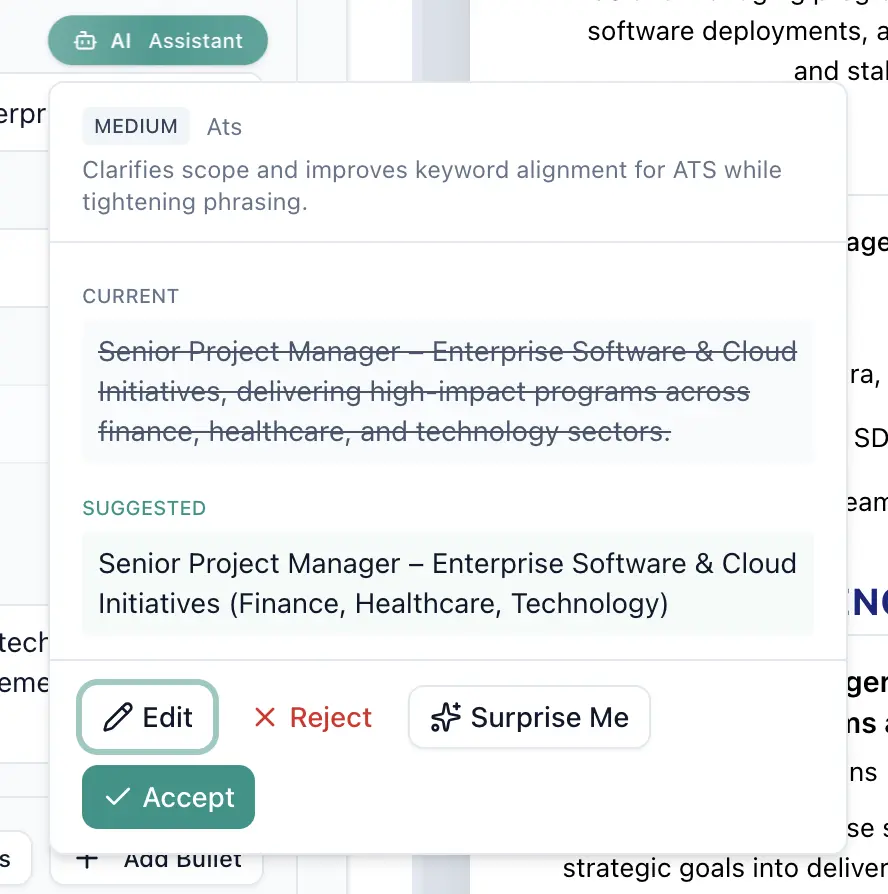
Here is a before/after rewrite, using the kind of rewrite SimpleCVBuilder's bullet optimizer produces.
BEFORE (skills dump, no context):
- Responsible for data pipelines and reporting

Skills: Python, SQL, dbt, Airflow, Snowflake, Looker,
Tableau, Git, AWS, Azure, GCP, Databricks, Kafka,
Redshift, BigQuery, Postgres, MySQL, Spark, Hadoop

AFTER (keywords placed with context and numbers):
- Built and owned the ELT pipeline in dbt and Airflow,
  loading 40M rows/day from Postgres and Kafka into
  Snowflake; reduced model run time 62% in Q2.
- Migrated 23 legacy SQL reports to Looker; cut
  analyst ad-hoc requests from ~18/week to 4/week.

Skills (core): Python, SQL, dbt, Airflow, Snowflake,
  Looker, Postgres, Kafka
Skills (working knowledge): BigQuery, Redshift, Spark
The "before" version hits more raw keywords. The "after" version covers the must-haves from a typical data engineering JD with verifiable evidence, and a recruiter can read it in four seconds.
Step 4: Verify with an ATS check
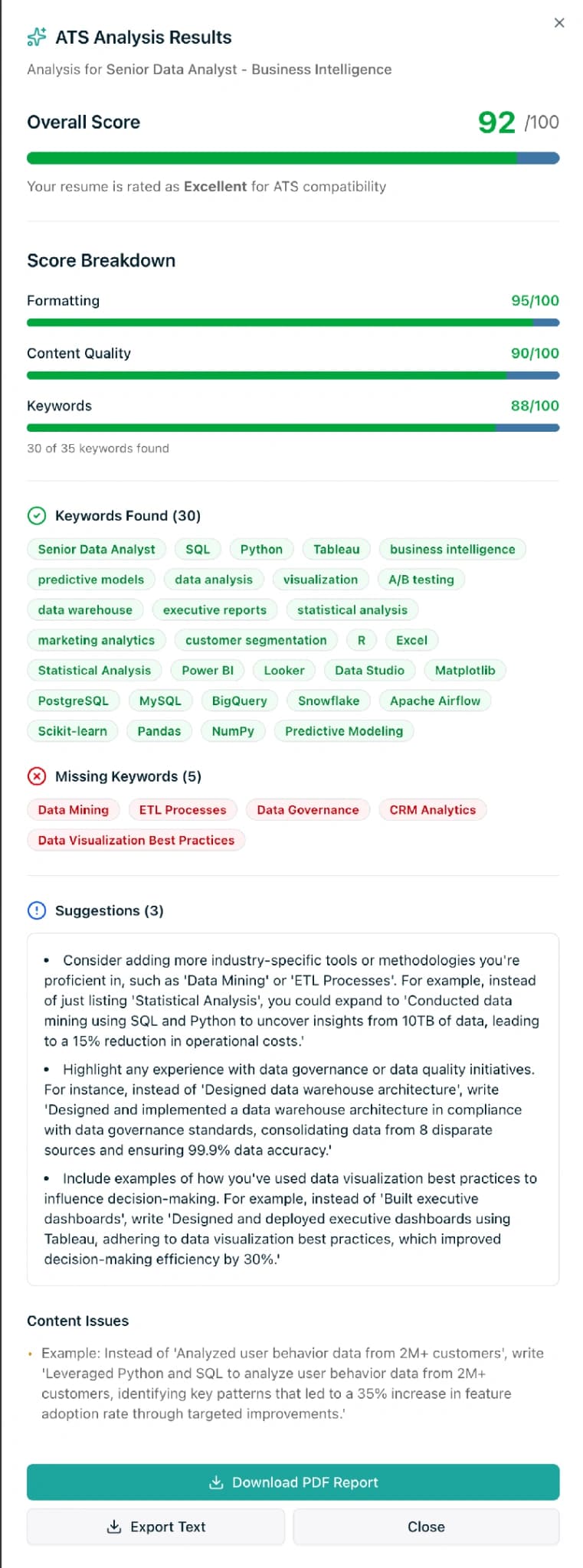
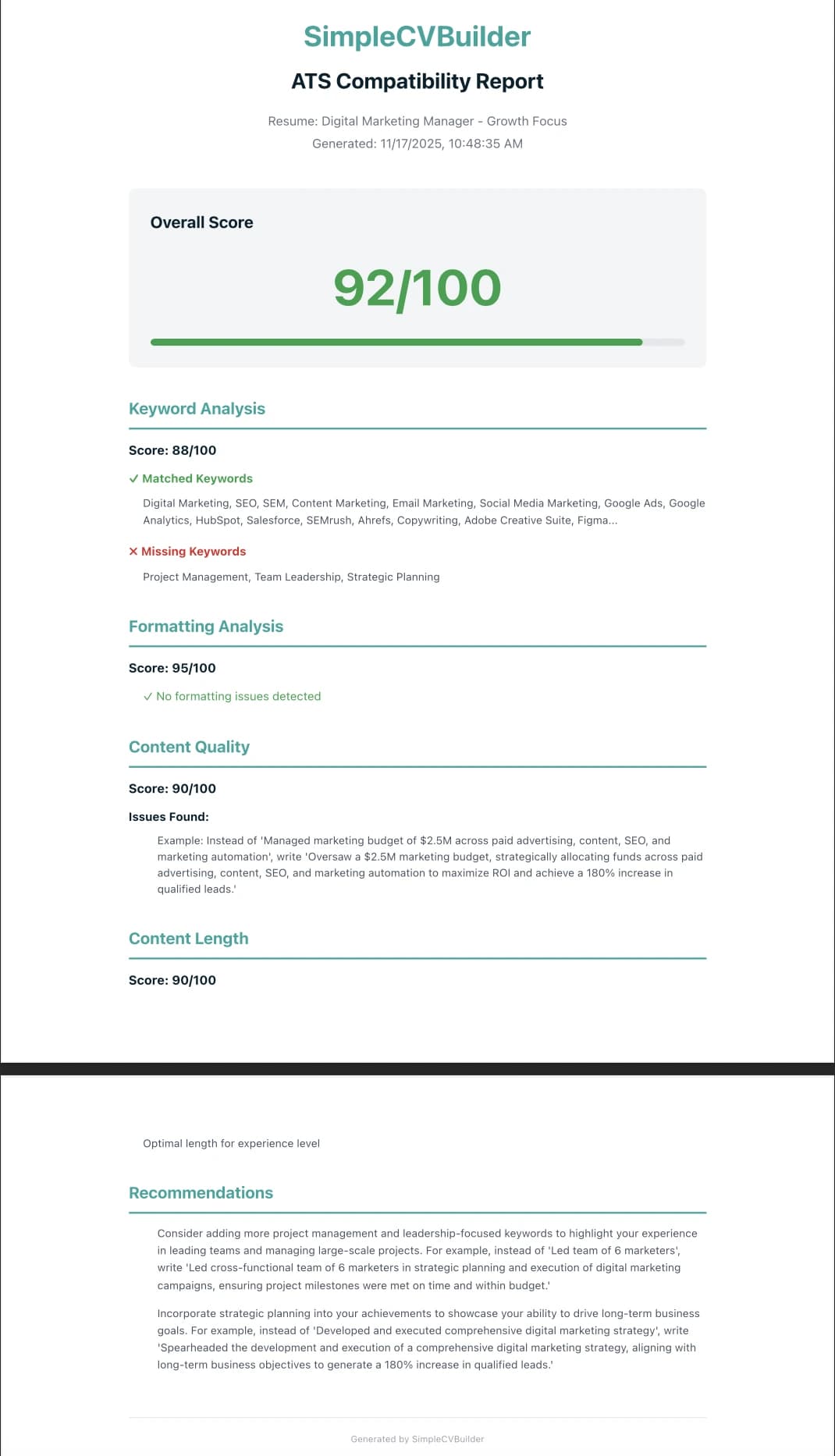
Before you submit, run the file through an ATS checker. Paste the job description and your resume text, read the missing-keyword report, and add the ones that legitimately apply to work you have actually done. Ignore the suggestions that would require you to invent experience.
SimpleCVBuilder's AI ATS analyzer does this on the free tier. Jobscan is the industry reference for scoring. For the wider picture on ATS parsing and formatting, our ATS guide walks through the complete checklist.
Free ATS keyword check
Paste a job description and your resume. Get a keyword coverage score, a list of missing must-have terms, and parser-level fixes. Free tier, no card required.
Good keyword use vs bad keyword use
Side by side, the patterns are easy to spot.
| Pattern | Bad keyword use | Good keyword use |
|---|---|---|
| Placement | Keywords piled into an unstyled list at the bottom of the CV | Dual placement: Skills section + one bullet under a role |
| Specificity | Generic terms ("leadership," "team player") | Named tools, frameworks, certifications ("AWS Certified Solutions Architect — Associate") |
| Density | Same keyword repeated five times across unrelated bullets | Each must-have keyword covered once with context and a number |
| Format | Hidden white text, keyword footer, 0.5pt font | Standard black text, real section headings, parseable layout |
| Synonyms | "Python developer / Python engineer / Python programmer" stacked | One accurate title, synonyms left to the LLM layer |
| Evidence | "Experienced with Snowflake" | "Migrated 40M rows/day into Snowflake; cut cost 31%" |
| JD copy | Requirements block pasted verbatim into a summary | Requirements rewritten as specific past actions with results |
Where the 2026 LLM layer changes the math
Two practical shifts are worth internalizing.
First, close matches help more than they used to. If the JD says "React" and your CV says "React.js," the LLM layer almost certainly scores those as equivalent. Five years ago, strict keyword matchers did not. That takes pressure off exact-string optimization and lets you write naturally.
Second, quality of context is scored, not just presence. LLM layers read the sentence around the keyword. "Built a React front end serving 2M monthly users" scores higher than "React" in a skills list, because the layer can evaluate scope. This is consistent with LinkedIn's Skills-Based Hiring research showing a shift toward evaluating what a candidate has actually done with a skill, not whether they list it.
The practical instruction has not changed: cover your must-haves, place them with context, and do not stuff. The LLM layer just rewards that behavior more explicitly than the old parser did.
Industry cluster examples
Keyword clusters vary by function. The five patterns below are common starting points; adapt to the specific JD.
- Software engineering. Languages (Python, Go, TypeScript), frameworks (React, Next.js, FastAPI), infra (AWS, Terraform, Kubernetes), practices (CI/CD, code review, incident response).
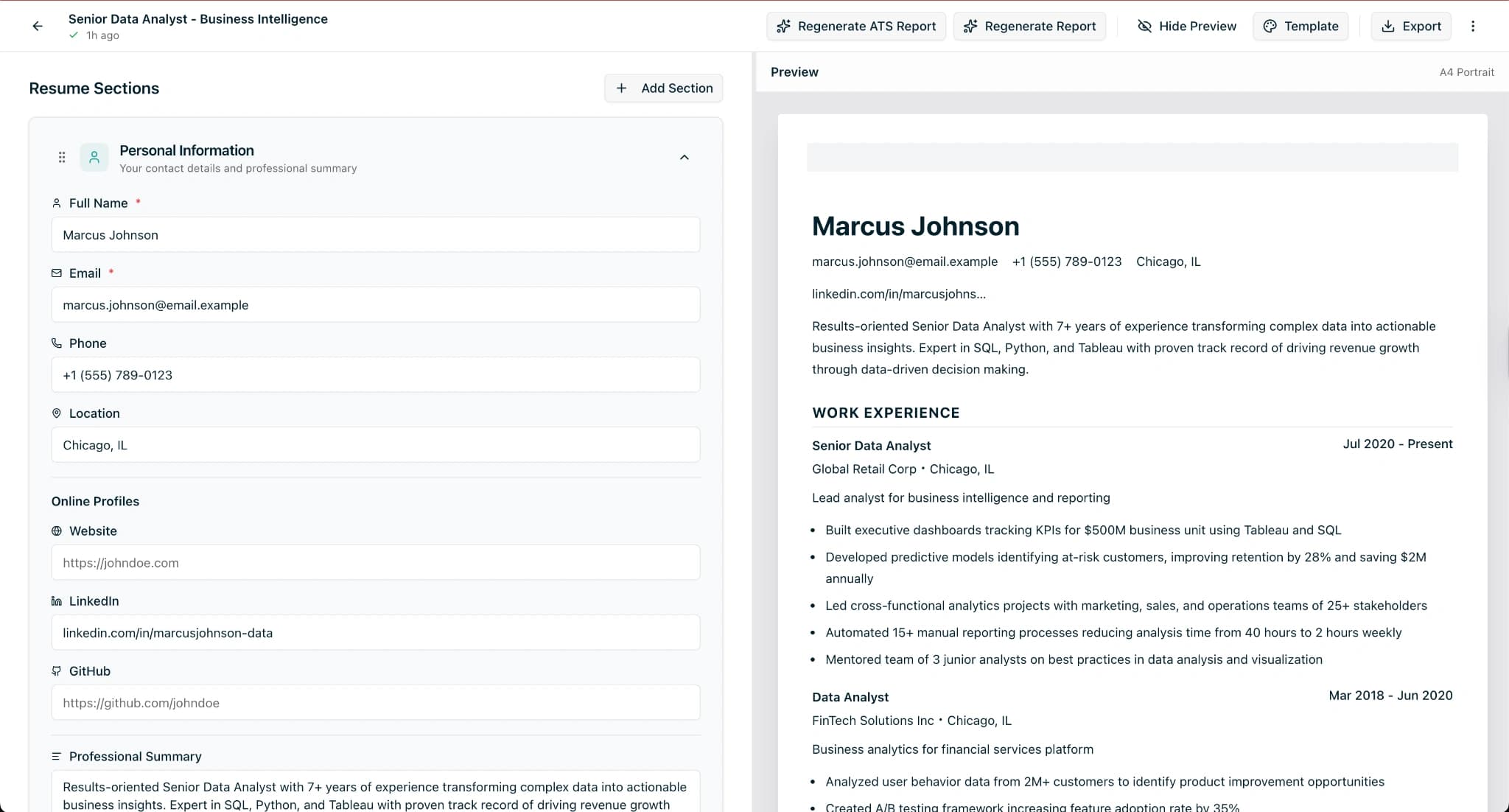
- Data / analytics. SQL, dbt, Airflow, Snowflake, BigQuery, Looker, Tableau; methods (A/B testing, causal inference, experimentation).
- Marketing. Channels (paid search, SEO, lifecycle), tools (HubSpot, Salesforce, GA4, Looker, Segment), metrics (CAC, LTV, payback, ROAS).
- Healthcare / regulated. Certifications (RN, BLS, ACLS), systems (Epic, Cerner), compliance terms (HIPAA, Joint Commission).
- Finance / ops. Tools (NetSuite, SAP, Workday, Excel/VBA), frameworks (SOX, GAAP, IFRS), domain (close cycle, FP&A, variance analysis).
For a career changer, the Career Advisor in your dashboard shows which of your current skills carry across to the target role, which is the hardest part of keyword work when the target function is new.
Related reading
- ATS CV builder: how to beat applicant tracking systems in 2026
- ATS resume checker: what score do you actually need?
- How to write an ATS-friendly resume
- Free resume builder: honest comparison
- Minimalist ATS template
- Features and Pricing
Frequently asked questions
Do resume keywords really matter in 2026?
Yes, but in a more specific way than most advice suggests. Modern ATS software parses your CV into structured fields and then matches those fields against recruiter filters and the job description. Keywords matter because recruiters filter on them (99.7% do, per Jobscan's State of the Job Search 2025), but the match has to be placed in the right section with real context. Keyword stuffing and hidden text do not work.
How many keywords should my resume have?
There is no magic number. A useful target is to cover the must-have skills and tools listed in the job description at least once in context, ideally in both your skills section and at least one bullet point. Coverage matters more than density. Hitting every nice-to-have keyword at the expense of readability is counterproductive, because a recruiter still reads the CV after the ATS does.
Is keyword stuffing bad for your resume?
Yes. Keyword stuffing inflates density without context and fails the moment a human opens the file. LLM layers used on top of traditional ATS parsing detect it more readily in 2026 than they did five years ago, and most recruiters filter it on sight. It also tends to push your resume over one or two pages with no added signal.
Does hidden white-text keyword stuffing work?
No. Modern ATS parsers read the underlying text regardless of color, so hidden keywords get counted — but they are also visible to any recruiter who selects the text, opens it in a plain editor, or prints it. Most enterprise recruiters treat hidden-text stuffing as a trust flag and reject the application.
Do I need a 100% keyword match to pass an ATS?
No. ATS match scoring varies by vendor and by the recruiter's configuration. A strong match covers must-have keywords from the job description with context, not every nice-to-have term. Checkers like Jobscan publish score targets in the 70-80 range for a reason — higher is often diminishing returns, not a guarantee of an interview.
Should I copy keywords directly from the job description?
Yes for exact-match hard skills, tools, and certifications — these are often filtered literally. For softer phrases and responsibilities, rewrite them into context-rich bullets that prove you have done the work. A literal copy of the JD reads as spam; a thoughtful rewrite with numbers reads as competent.
How does SimpleCVBuilder help with keyword optimization?
SimpleCVBuilder's AI ATS analyzer is available on the free tier. Paste the job description, and the analyzer scores keyword coverage, highlights missing must-have terms, and flags formatting issues that break parsing. Pro adds more bullet rewriting, unlimited Career Advisor reports for career changers, and TXT export for online forms that strip PDF formatting.
Are resume keywords different for LLM-powered screening?
Slightly. LLM layers reason about synonyms and related skills, so close matches help more than they used to, and exact keyword density matters a little less. That said, the traditional parser still runs first at most vendors. The safest approach in 2026 is to cover exact matches where the term is technical or certified, and rely on context for everything else.