
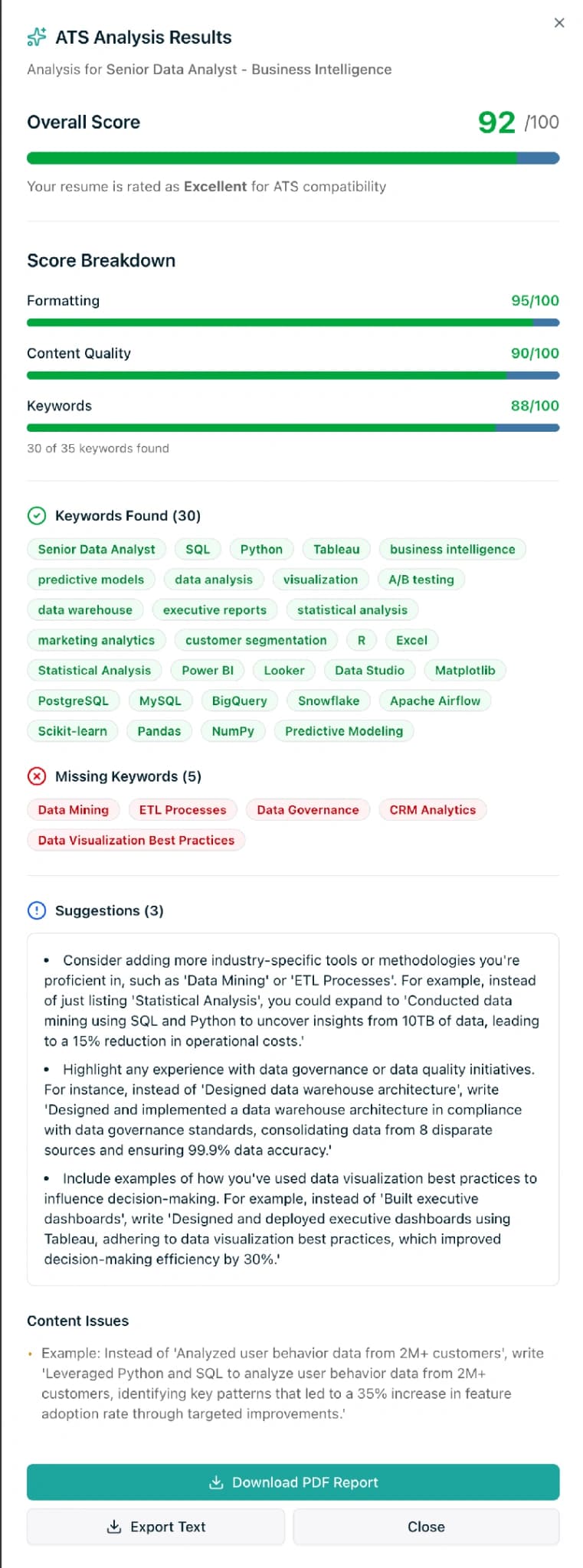
TL;DR. Every ATS resume checker gives you a score, but no single score is an industry standard. The same resume can score 90 on one tool and 70 on another because each checker weights keywords, formatting, and relevance differently. What actually predicts interviews is three things: your resume parses as clean text, it matches 70-80% of the job-description keywords, and it reads as relevant to a human in 10 seconds. Chase those outcomes, not a round number. This guide breaks down how ATS checkers calculate scores, why the numbers disagree, the three fixes with the biggest impact, and what is not worth obsessing over.
Last updated: April 2026.
What ATS score do you actually need?
The short answer: it depends on the tool, but what matters is not the number. Most public ATS resume checkers (Jobscan, Resume Worded, the Enhancv score, SimpleCVBuilder's own AI ATS analyzer) return a value out of 100 and call 80+ "strong," 70-79 "acceptable," and below 70 "needs work." Those bands are convention, not standard. Hiring managers at Amazon, Deloitte, or any Fortune 500 do not see your Jobscan score. Their Workday or Greenhouse instance runs its own proprietary ranking on the resume you send. The public score is a proxy, not a verdict.
The longer answer is that scores matter indirectly. They reflect three real signals that do affect your shortlist odds: whether the software can parse your resume, whether you used the keywords the job description cares about, and whether a human reading the result would find it relevant. Optimise the signals and the score follows. Chase the score first and you end up with a keyword-stuffed, hollow resume that dies in the human-review stage, even if the software loved it.
How ATS scoring actually works (under the hood)
An ATS resume checker is a three-stage pipeline in a trench coat. Open the hood and every reputable checker is running some version of this:
- Parse the file. The tool extracts text from your PDF or DOCX. If your resume is a two-column layout, uses text boxes, or was exported as an image, this stage fails quietly and the extracted text comes out garbled. A parseability failure caps your ceiling no matter how good your content is. Jobscan reports roughly 23% of ATS parsing failures come from formatting errors, not writing.
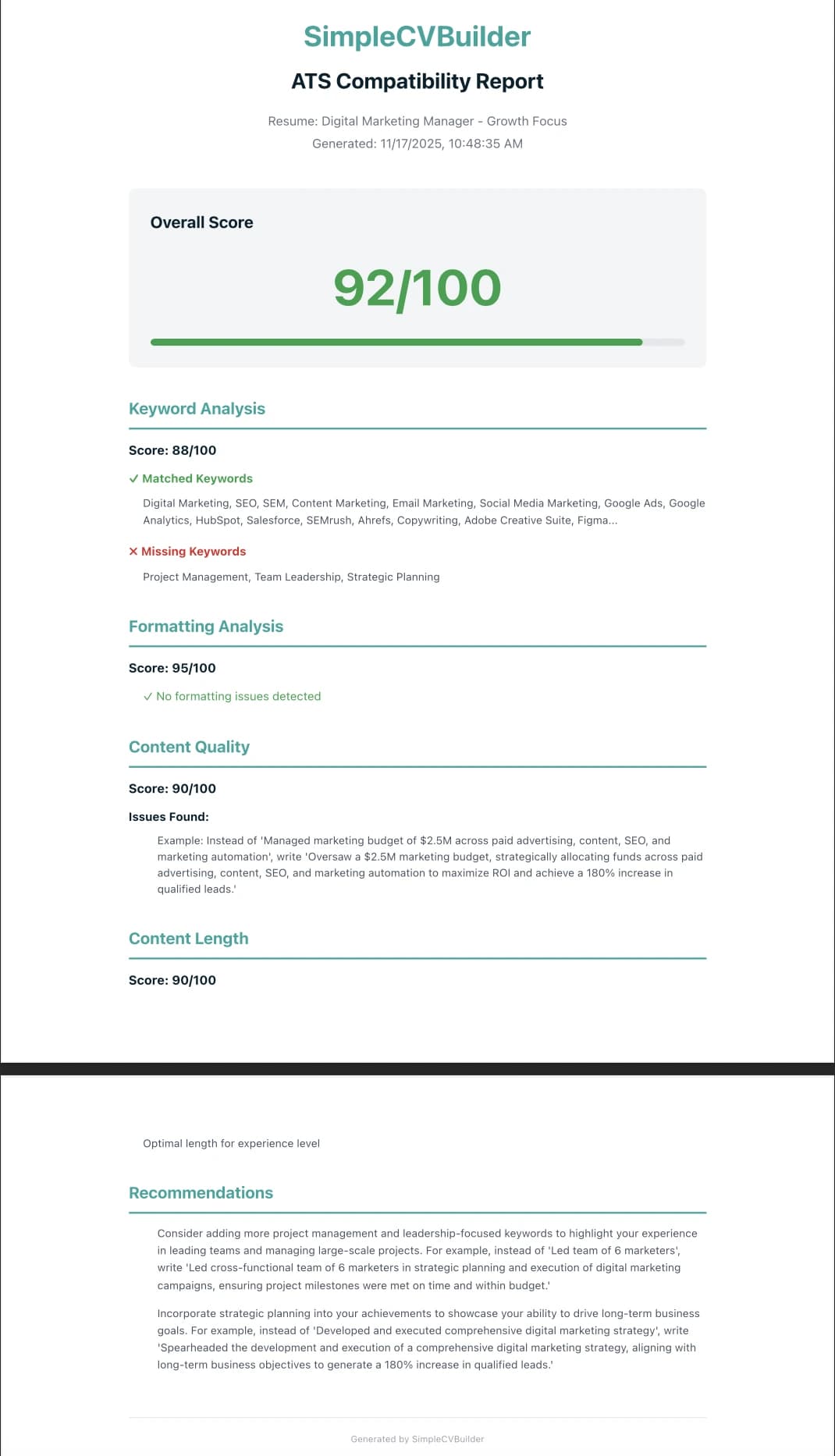
- Match keywords. The parsed text is compared against the job description you pasted. The checker counts exact matches ("Python," "SQL," "project management"), then a modern checker layers semantic matching on top ("team leadership" counts when the JD says "led cross-functional teams"). The weighted count becomes the keyword-match sub-score.
- Score structure and readability. Length, section ordering, heading conventions, bullet density, date formatting, and contact info. This is where points are lost to missing summaries, oversized paragraphs, and non-standard section names like "Career Highlights" instead of "Experience."
The total score is a weighted blend. Jobscan weights keyword match heavily. Resume Worded weights writing quality and bullet structure more. SimpleCVBuilder's AI ATS analyzer weights parseability and keyword match roughly equally, on the logic that both are load-bearing. None of these weightings is wrong. They just reflect different theories about what the real downstream ATS rewards.
Why scores disagree between tools
Paste the same resume and the same job description into three checkers and you will often get three different scores, sometimes 15-20 points apart. This is not a bug. It is the category.
| Factor | Jobscan | Resume Worded | SimpleCVBuilder | Typical free checker |
|---|---|---|---|---|
| Exact-keyword match weighting | Heavy | Moderate | Moderate-heavy | Heavy |
| Semantic / synonym match | Yes | Partial | Yes (LLM layer) | Often no |
| Parseability check | Yes | Yes | Yes | Sometimes |
| Writing-quality grading | Light | Heavy | Moderate | Rare |
| Real-ATS mirroring | Proxy (observed) | Proxy | Proxy | Often generic |
| Score floor to "pass" | ~75 | ~70 | ~75 | Varies |
Two implications. First, do not compare scores across tools. A 72 on Resume Worded and an 85 on Jobscan may describe the same resume. Second, the overlap is the signal: if two or three checkers all flag the same missing keyword or the same formatting issue, that problem is real. If only one tool complains and the others pass, it is likely a quirk of that checker's rubric.
This is where the mechanical score misleads people most. 51% of organizations now use AI specifically for recruiting in 2025, up from 26% in 2024, per SHRM's Talent Trends survey. Modern ATS platforms are starting to run LLM semantic layers on top of traditional keyword counting. A checker that only counts exact matches is already out of date for Workday 2026.
Run a free ATS check on your resume
SimpleCVBuilder's free AI ATS analyzer scores your resume against any job description, flags missing keywords and parsing issues, and gives you a ranked list of specific fixes. One free check per resume. No credit card.
The 3 things to fix first (by impact)
If you have 30 minutes and a report listing 20 issues, fix these three first, in rough order of impact on real ATS outcomes.
1. Parseability (the one that caps everything)
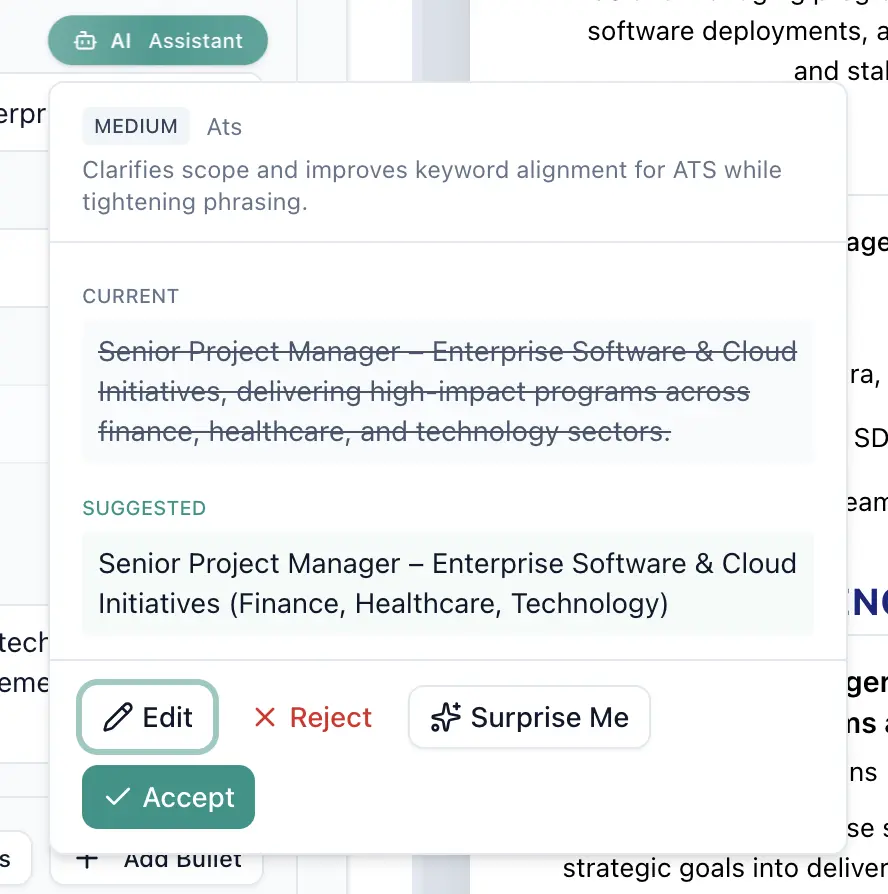
Before keyword match matters, the software has to read your resume. A parsing failure silently caps every downstream score. The checks: a single-column layout (two-column resumes drop content or mis-order it), a real text layer (paste your PDF into Notepad; if the copy is clean, the text layer is real, if garbled, your resume is effectively an image), standard section headings ("Work Experience," "Education," "Skills" — not "My Journey"), and no tables, text boxes, or icons carrying critical text. Our Minimalist ATS template is built around these rules.
2. Keyword match against the specific job description
Keyword match is the second-highest-impact lever, and the one most checkers weight most heavily. The practical target is 70-80% of the job description's meaningful keywords, not every word, but the hard skills, tools, certifications, and role-specific verbs. Jobscan pipeline data shows resumes matching 80%+ of JD keywords pass screening at roughly 2.5x the rate of resumes matching under 50%.
Two rules for keyword integration. First, use the exact phrasing from the job description for hard skills and tools. If the JD says "Kubernetes," do not write "container orchestration." Include both if you can, but the exact term carries the match. Second, place keywords where they are weighted most. The top third of page one (name, title, summary, top skills block) carries more weight than a bullet on page two. Your summary line and your current-role bullets are the real estate that moves the score.
For a deeper treatment, see our guide on resume keywords and ATS parsing.
3. Human relevance in the first 10 seconds
This one is not about the software. The Ladders' 2018 eye-tracking study reported recruiters spend 7.4 seconds on the initial scan, and Harvard Business School's "Hidden Workers" research estimated 27 million qualified US workers are screened out by rigid ATS criteria. A resume that scores 90 but reads as irrelevant in 10 seconds still loses. Three things carry those 10 seconds: a role-specific summary line, a current title adjacent to the target role (or a career changer functional-hybrid structure if you are pivoting), and a specific number in the first two bullets. "Reduced onboarding time 40%" beats "Led onboarding improvements."
What NOT to obsess over
This is the contrarian section, and it exists because the ATS-checker industry has monetised anxiety. A few things are worth letting go.
- The exact score. An 82 is not meaningfully different from an 85. If you are in the 75-90 band with clean parsing and real keyword coverage, stop iterating and start applying. Marginal gains at the top end are noise.
- Getting to 100. A 100 usually means the resume is keyword-stuffed to the point of sounding robotic. Checkers do not read for tone. Humans do.
- Matching every keyword in the JD. Job descriptions are wish lists written by committee. Matching 70-80% of meaningful terms is the real bar.
- Fonts. "Arial vs Calibri vs Helvetica for ATS" is the most overblown topic in the category. Any common sans-serif parses fine.
- Optimising for every ATS vendor separately. A resume that parses cleanly in one checker generally parses cleanly across major platforms. Workday's 39% Fortune 500 share means Workday-style parsing covers most enterprise applications.
Free vs paid ATS checkers, and how ours works
Most mainstream checkers cap free usage and charge for unlimited scans. Jobscan gives limited monthly scans free and unlocks unlimited with a paid tier. Resume Worded runs a free bulk score and charges for line-by-line rewrites. SimpleCVBuilder's free tier includes one ATS check per resume, enough to validate before submitting, and Pro at $12.99 per month unlocks unlimited checks across unlimited resumes. One or two applications a month? The free check is plenty. If you tailor a resume per application, unlimited checks save hours per week. For the builder plus checker in one place, see AI Resume Builder and AI Resume Optimizer.
What SimpleCVBuilder's built-in checker does: a rule-based parseability audit, exact and semantic keyword matching against the pasted JD via an LLM layer, a readability score, and a prioritised fix list: top three changes ranked by expected score lift. For the manual checklist behind it, our ATS guide and ATS CV builder go deeper.
Frequently asked questions
What's a good ATS resume score?
Most checkers call 80+ strong, 70-79 acceptable, and below 70 needs work — but these bands are not standard. A more useful target: match 70-80% of the exact and semantic keywords in the job description, and make sure your resume parses as clean text when copy-pasted.
Is 70% a good ATS score?
On Jobscan it is borderline — the tool typically recommends pushing above 75. On a more lenient checker, 70 reads as fine. Treat it as a prompt to audit the specific missing keywords the checker flagged, not as a pass-fail verdict.
How accurate are free ATS resume checkers?
Accurate at flagging parseability problems — two-column layouts, image PDFs, missing section headings — because those are rule-based. Less accurate at predicting real ATS outcomes, because Workday and Greenhouse use proprietary ranking no public checker fully replicates.
Why does my ATS score differ between tools?
Because each checker uses its own rubric. One might weight hard-skill keywords at 60%, soft skills at 20%, formatting at 20%. Another flips that. Your resume has not changed — the measuring stick has. The signal worth trusting is the overlap.
Can an ATS checker guarantee I'll get an interview?
No. A high score increases the probability that a human opens your resume, but the interview depends on relevance, experience depth, and fit. Score gets you to the pile; content gets you the call.
What does an ATS checker actually look at?
Three things. Parseability — can the software read your resume as clean text. Keyword match — how many exact and semantic terms from the JD appear, and where. Structural signals — standard section headings, reasonable length, consistent date formatting. Modern checkers may also run an LLM relevance layer.
Does Jobscan match real ATS systems?
Jobscan publishes research on how major ATS platforms behave, and its score correlates with what those platforms tend to reward — but it is not connected to Workday or Greenhouse. It is a proxy. A strong Jobscan score is a good sign; a weak one is a warning. Neither is a guarantee.
Is SimpleCVBuilder's ATS checker free?
Yes — the free tier includes one ATS check per resume, built into the editor, no credit card. Pro at $12.99 per month unlocks unlimited checks across unlimited resumes, useful when tailoring one resume per role.